Live Webinar 07/28: Learn how to build marketing campaigns that capture demand during fall, your biggest enrollment window. Register

Opus1

Messages That Don’t Get Missed

Unified Communication Tools

Opus1 brings all your communications into one place, so you can connect with families, students, and staff without switching platforms or losing the thread. Email, text, and calls—managed from a single dashboard.

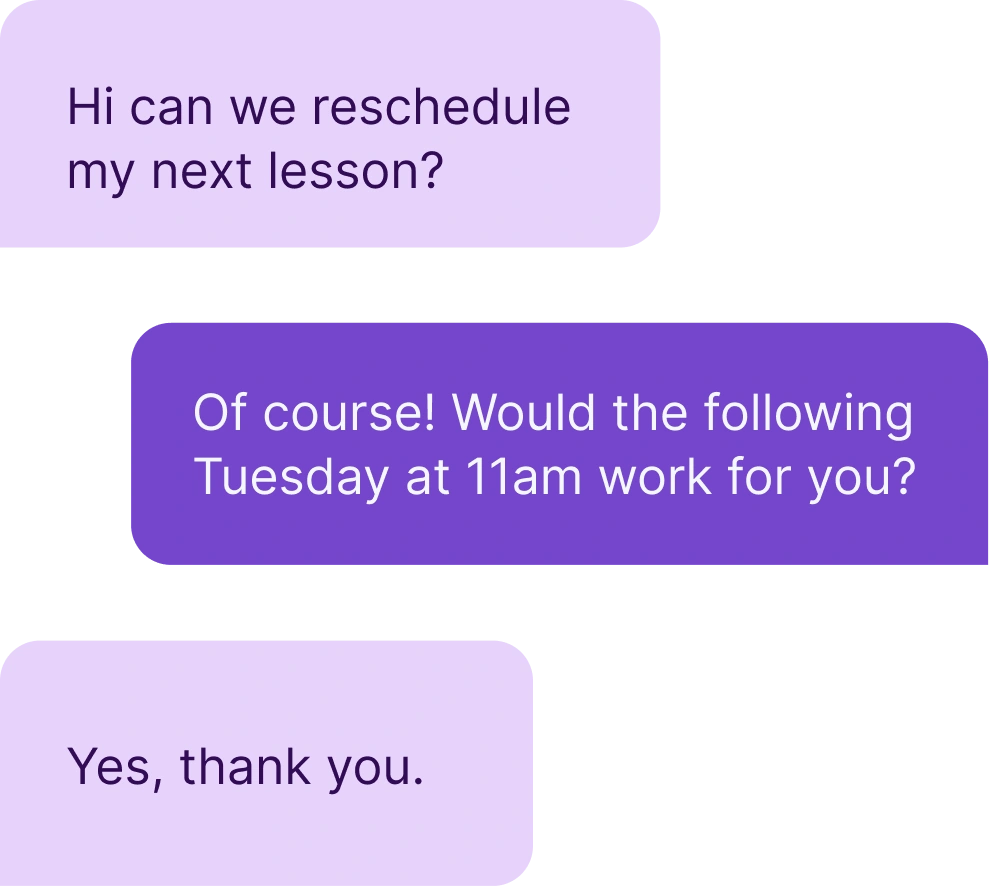
Text message conversation between music teacher and student rescheduling lesson

Keep your school connected, informed, and on the same page.

Whether you’re confirming a makeup lesson, announcing a recital, or reaching out to a prospective family, Opus1 keeps your communications consistent and centralized with integrated email, SMS, and voice options. No more bouncing between systems or hoping people check their inbox.
All-In-One Messaging Dashboard

Reach the right people with the right message by email, SMS, or voice from one place. Every interaction is logged inside Opus1, so your team always has context.

  • Send emails, texts, or make and receive calls from a single dashboard

  • Message individuals, groups, or your entire school

  • Track delivery, read status, call history, and voicemails in one place

Automated Reminders and Updates

Opus1 automatically keeps families informed with timely reminders and confirmations tied to their lessons, classes, and events.

  • Auto-send lesson reminders to students and families

  • Follow up on missed calls and voicemails with full context

  • Notify staff of cancellations, changes, and bookings

  • Customize timing and tone to match your brand

Seamless Communication History

No more wondering who saw what and when. Every message, reply, and reminder is logged for easy reference by your admin or staff.

  • View complete communication history by student, family, or prospect

  • Filter and search across past communications

  • Ensure continuity, even when staff changes

Real Results from Real Studios

Whether you’re just getting started or scaling across multiple locations, Opus1.io helps schools run smarter. See what our users have to say.

  • “Opus1 has completely streamlined our scheduling and communication. It’s intuitive, powerful, and has transformed how we run our music school day to day.”

    Christopher Louis Jorge

    Seven Drum City

  • “Opus1 brought everything together—lessons, payments, communication, reports—all in one system. It’s simplified our operations and helped us grow with confidence.”

    Katherine Knight

    Melody Magic Music Studio

  • “Opus1 streamlined our entire operation into one platform. It’s improved the experience for students, teachers, and staff—and we truly feel like a partner, not just another user.”

    Parker Butterworth

    Mason Music

  • “Opus1 gave us the automation we needed—billing, makeup lessons, texting, everything. It’s intuitive, built for music schools, and the support team has been incredible every step of the way.”

    Marlayna Goosby

    Grow Your Gift Conservatory of Music

Frequently Asked Questions

What happens when a family misses a call or message?2026-06-29T16:00:49+00:00

Missed calls get an automatic follow-up with full context so no inquiry falls through the cracks. Voicemails are logged alongside the rest of the communication history for that family.

How do automated reminders work?2026-06-29T16:00:21+00:00

Lesson reminders go out to students and families automatically. Staff are notified of cancellations, changes, and bookings without manual follow-up, and timing and tone are customizable to match your school’s voice.

What communication channels does Opus1 support?2026-06-29T15:59:54+00:00

Email, SMS, and voice calls are all managed from a single dashboard. No switching between platforms or chasing down which channel a family prefers.

How does Opus1 handle communication for a school with multiple locations?2026-06-29T16:02:07+00:00

Messages can be sent to individuals, groups, or your entire school from one dashboard. Each location’s communications stay organized and searchable without separate tools or inboxes.

What happens to communication history when a staff member leaves?2026-06-29T16:01:43+00:00

Everything stays in Opus1. Communication history is attached to the student or family record, not the individual staff member, so continuity is maintained through any team changes.

How does Opus1 keep track of every conversation with a family?2026-06-29T16:01:18+00:00

Every message, reply, and reminder is logged automatically by student, family, or prospect. Your team can filter and search across past communications at any time so there is never a question of who said what.


Get started today

See Opus1 In Action

Learn how Opus1 can support your school’s programs, workflows, and growth goals.

Go to Top