Free Download: Learn how to keep students enrolled, engaged, and showing up, even during summer. Download now.

Opus1

Scheduling that works for your school

Scheduling & Self-Booking

Opus1 gives families a direct link to book lessons, makeups, and trials on their own schedule, within the rules you set. No calls. No back-and-forth. No double bookings.

Various booking elements from Opus1 product, combined with a photo of woman and daughter looking at a laptop

Your schedule should run itself. Here’s how Opus1 makes that happen.

From trial bookings to makeup lessons, Opus1 keeps your calendar full and your inbox quiet — without giving up control of how your school runs.
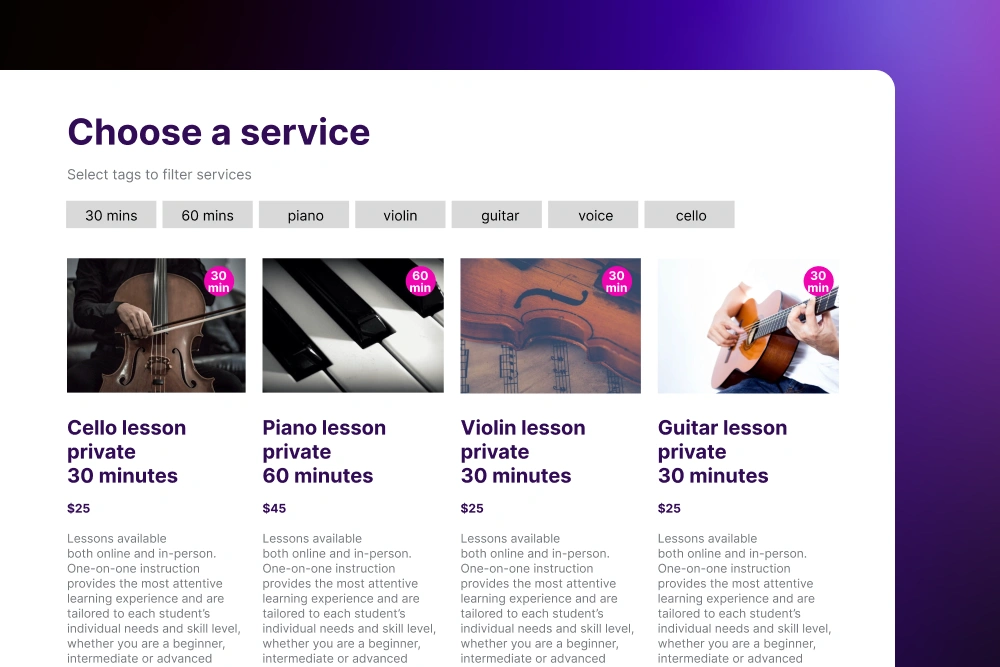
Mockup of Opus1 booking page for music lessons

Families Book. You Stay in Control.

Share a booking link and families can schedule lessons, trials, or makeups directly from their phone, any time of day. Opus1 handles availability, confirmation, and payment automatically.

  • You set the rules: advance booking windows, cancellation policies, and deposit requirements

  • Bookings only happen within your availability windows — no surprises on your calendar

  • Families sign terms, pay a deposit, and confirm their spot, all before you see the booking

One Calendar. Every Instructor. Zero Conflicts.

Whether you have 2 instructors or 20, Opus1 keeps every lesson, class, and event in sync across your whole school. When something changes, everyone knows.
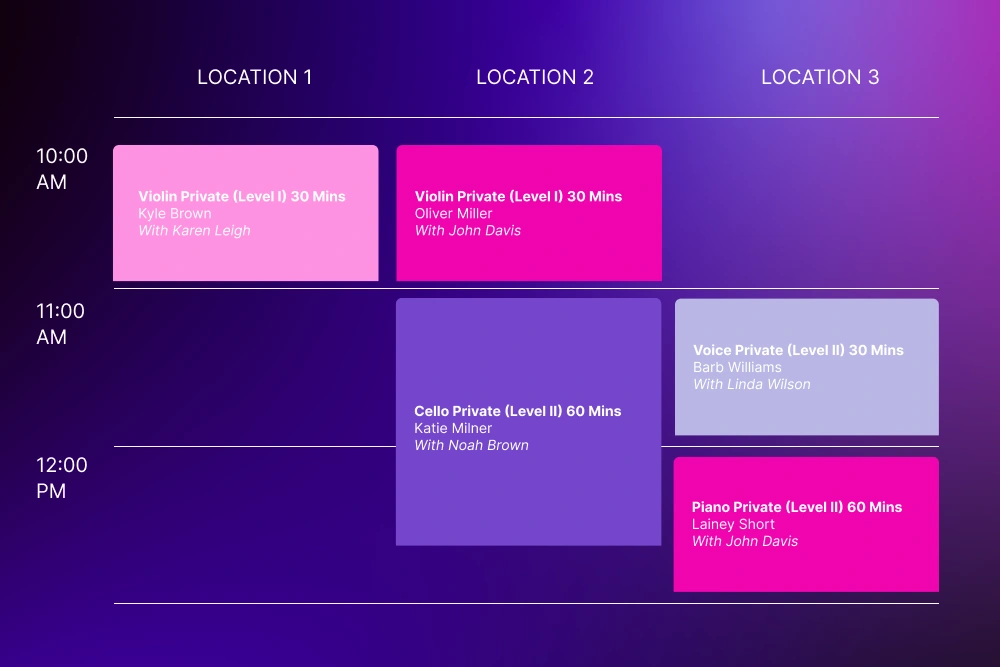
  • Private lessons, group classes, and recitals all in one view

  • Color-coded by instructor, room, or program type so nothing gets missed

  • Instant updates across all views when a session is booked, changed, or canceled, no manual syncing

Scheduling self-booking for music lessons by location and time slots - Opus1: Everything You Need to Run Your School in One Place
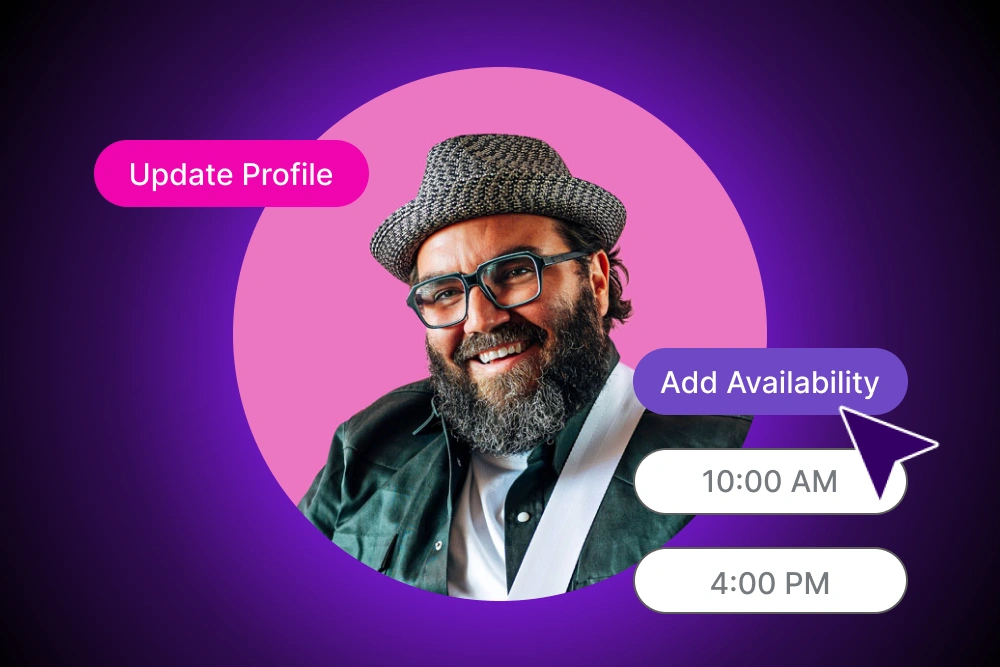
Teacher headshot with various stylized booking components around the circle

Instructors Set Their Hours. You Set the Rules.

Teachers update their own availability. You define what families can and can’t book. Opus1 keeps everything in sync so your self-booking links always reflect reality.

  • Instructors manage their own recurring schedules without going through admin

  • Admins can override or add exceptions at any time

  • Availability syncs in real time with self-booking links, so families never see a slot that isn’t actually open

Real Results from Real Studios

Whether you’re just getting started or scaling across multiple locations, Opus1.io helps schools run smarter. See what our users have to say.

  • “Opus1 has completely streamlined our scheduling and communication. It’s intuitive, powerful, and has transformed how we run our music school day to day.”

    Christopher Louis Jorge

    Seven Drum City

  • “Opus1 brought everything together—lessons, payments, communication, reports—all in one system. It’s simplified our operations and helped us grow with confidence.”

    Katherine Knight

    Melody Magic Music Studio

  • “Opus1 streamlined our entire operation into one platform. It’s improved the experience for students, teachers, and staff—and we truly feel like a partner, not just another user.”

    Parker Butterworth

    Mason Music

  • “Opus1 gave us the automation we needed—billing, makeup lessons, texting, everything. It’s intuitive, built for music schools, and the support team has been incredible every step of the way.”

    Marlayna Goosby

    Grow Your Gift Conservatory of Music

Frequently Asked Questions

What happens when a family books online?2026-06-29T15:18:01+00:00

Opus1 automatically creates or updates their family record, adds the session to the schedule, sends a confirmation, and can collect payment or a deposit, all without any manual steps from your team.

Can I control how far in advance lessons can be booked or rescheduled?2026-06-29T15:17:34+00:00

Yes. You set the rules — advance booking windows, cancellation policies, and any deposit requirements — so families only see what you want them to see.

Can parents book lessons on their own without calling the front desk?2026-06-29T15:17:05+00:00

Yes. Opus1 gives families a direct booking link so they can schedule lessons, trials, or makeups on their own time, any time of day, based on real availability.

Can I manage multiple locations and instructors in one calendar?2026-06-29T15:19:32+00:00

Yes. Opus1 keeps every lesson, class, and event in sync across all instructors, rooms, and locations with color-coded views so nothing gets missed.

How does Opus1 handle instructor availability?2026-06-29T15:19:05+00:00

Instructors manage their own recurring availability directly. Admins can override or add exceptions at any time, and everything syncs automatically with your self-booking links so families never see a slot that isn’t open.


Can families book makeups through the same system?2026-06-29T15:18:37+00:00

Yes. Self-booking links work for both lessons and makeup requests, based on availability you define.

Get started today

See Opus1 In Action

Learn how Opus1 can support your school’s programs, workflows, and growth goals.

Go to Top