Two-way texting lets a music or dance school send and receive text messages with families from one shared inbox, instead of from staff members’ personal phones. For a growing school, the right SMS inbox does more than send messages. It makes it clear who owns each conversation, lets staff reply without leaving what they’re working on, and schedules texts for the right time.
Here’s what that looks like in practice, and what to look for if your school is outgrowing its current approach.
When a Simple Question Slips Through the Cracks
It’s the Thursday before your spring recital. A parent texts to ask what time their daughter needs to arrive for warm-ups. Your front desk manager sees it, plans to answer after class, and gets pulled into something else. Another staff member assumes it’s handled. Two days later, the parent is still waiting, and now they’re frustrated.
No one did anything wrong. The inbox just didn’t make it clear what needed an answer, or whose job it was.
Why Texting Gets Harder as Your School Grows
At a small school, one person usually handles every family text. As enrollment grows past 100 students, that changes. Front desk staff, managers, and sometimes teachers all share the same inbox, and a few problems start to show up:
- Lost replies. Messages get read but not answered, and there’s no easy way to tell which ones are still waiting.
- Double replies. Two staff members answer the same parent, sometimes with different information.
- Late-night texts. Staff catch up on messages after hours, and families get texts at 10pm.
- Context switching. Answering a question means leaving the conversation to look up a family’s schedule or contact details.
None of these are big on their own. Together, they add up to slower responses, more confusion, and families who feel out of the loop.
What Growing Schools Need in an SMS Inbox
1. Conversation Assignment
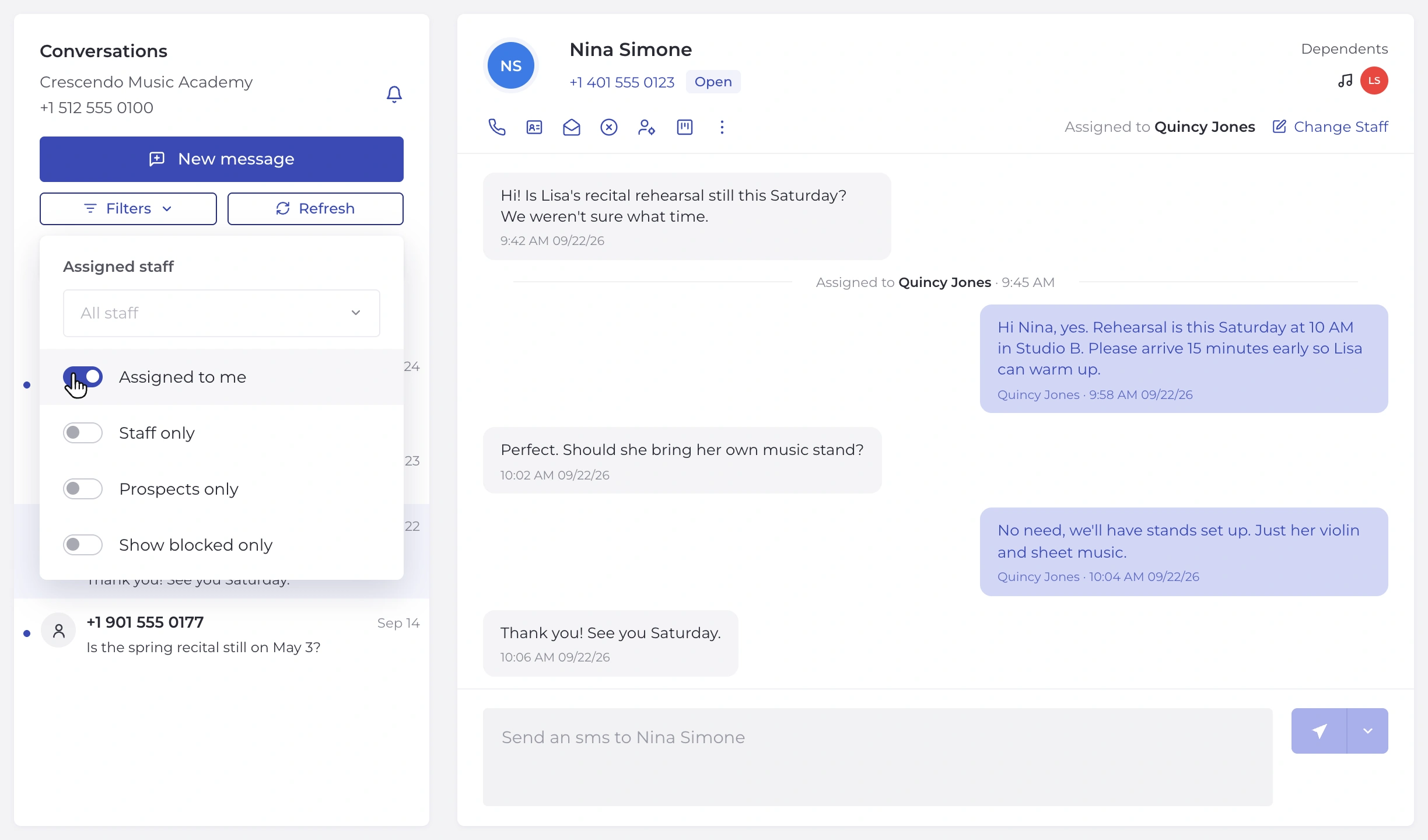
When several people share an inbox, every conversation needs an owner. Assignment lets a manager decide who handles each family, and filters let anyone see the conversations assigned to them or to a specific teammate.
2. Visibility into Who’s Replying
Typing indicators show when a teammate is already responding, so two people don’t answer the same message.
3. Access from Anywhere
Staff shouldn’t have to stop what they’re doing to check messages. Look for an inbox that pops out over any page in the system, whether staff are checking the schedule, updating a student record, or reviewing billing, so they can reply without losing their place.
4. Scheduled Messages
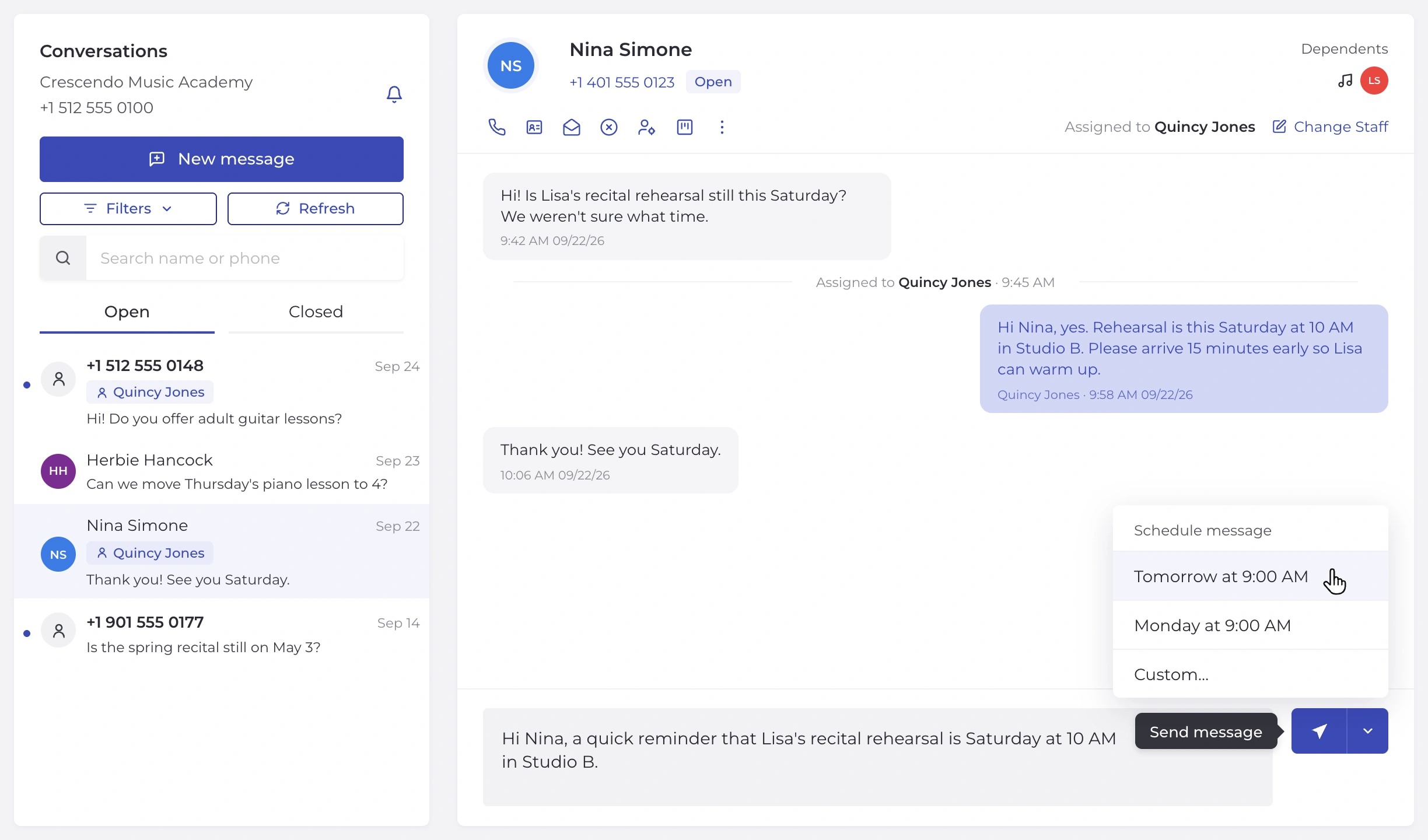
Staff often catch up on messages outside of class time. Scheduling lets them write a text whenever it’s convenient and have it arrive when it’s appropriate for families, like the next morning or Monday.
5. Clear Unread Tracking
Your team should be able to spot new incoming messages at a glance. Being able to mark a conversation unread also helps when one staff member hands a thread to another.
6. Family Context Beside the Conversation
A good SMS inbox shows a family’s contact info and upcoming classes right next to the thread, so staff can answer questions without switching screens.
7. Simple Organization
Open and Closed views, plus straightforward filters, keep active conversations front and center and resolved ones out of the way.
Meet the New Opus1 SMS Inbox
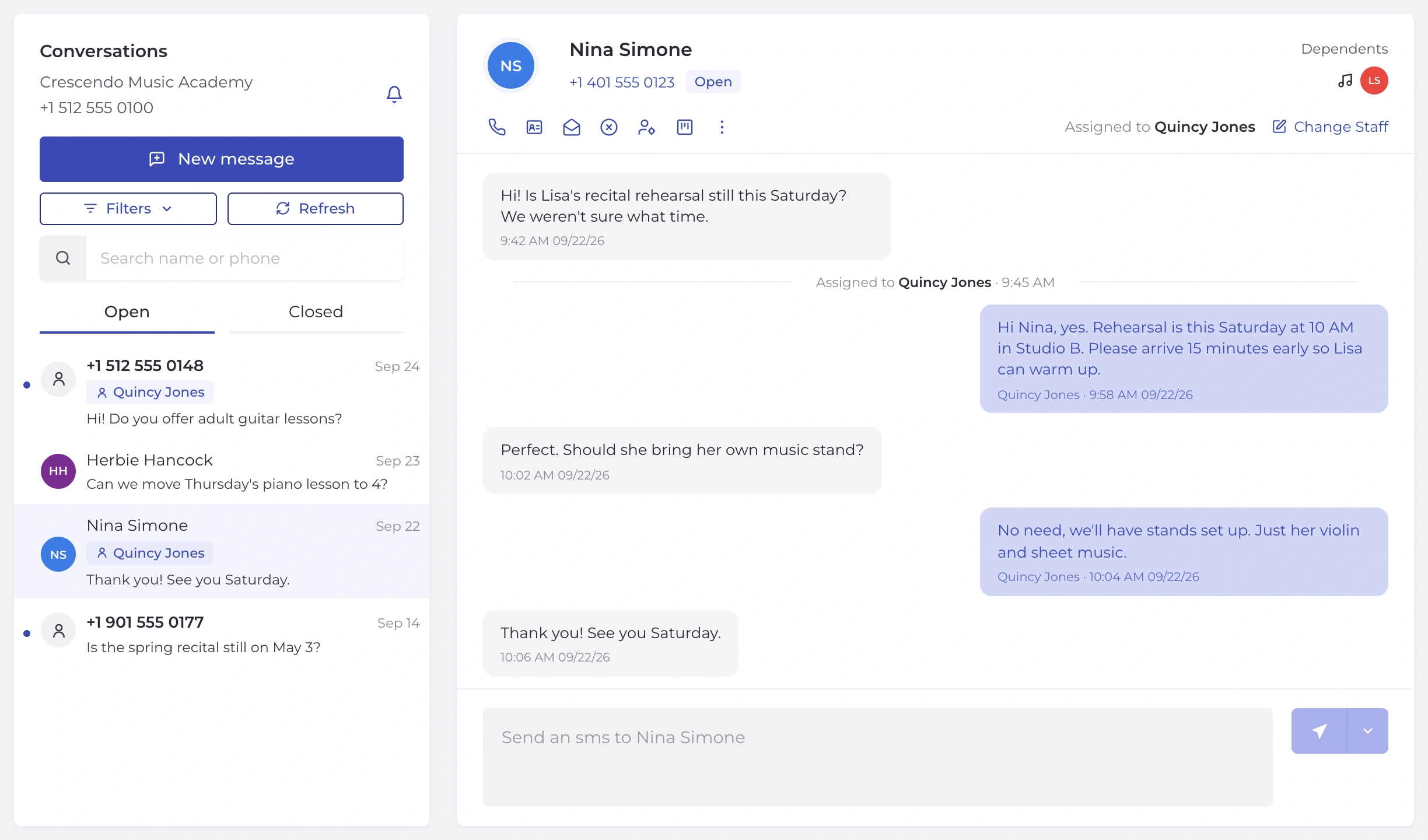
Opus1 built its redesigned SMS inbox around exactly these needs, shaped by feedback from the music and dance schools that use Opus1 SMS every day. Opus1 SMS is part of Opus1’s unified communication tools, available as an add-on to the Opus1 music and performing arts school management platform. The new inbox includes:
- Conversation assignment, with filters to see conversations assigned to you or a specific teammate
- Typing indicators so teammates never double up
- A pop-out SMS panel in the top navigation, so staff can check and answer texts from any page without losing their place
- Scheduled sends for Tomorrow, Monday, or a custom time
- Unread indicators that show new messages at a glance, plus the option to mark a thread unread
- A client profile panel with contact info and upcoming classes beside each thread
- A one-step new message window for existing contacts or new numbers
- One filter menu and Open/Closed tabs for a cleaner, faster inbox
If your school already uses Opus1 SMS, your conversations and message history carried over automatically. Active threads are under Open and inactive threads are under Closed.
Built for Teams That Share One Inbox
The biggest difference for larger schools is how the new inbox supports a team. A manager can assign enrollment questions to one staff member and billing questions to another. Staff can filter to conversations assigned to them or a specific teammate and see instantly what’s new. If someone is already typing a response, everyone else can see it. And when a conversation needs to change hands, marking it unread makes sure it doesn’t slip.
The result is simple: every family gets one clear, timely answer.
Best Practices for Texting Families
However your school texts families, a few habits go a long way:
- Set quiet hours. Decide as a team when it’s appropriate to text families, and use scheduled sends for anything written outside that window.
- Give every conversation an owner. Assign conversations by role or by family so nothing falls between staff members.
- Close the loop. Move resolved conversations to Closed so your Open view reflects what still needs attention.
- Hand off clearly. When passing a conversation to a teammate, mark it unread so they know it needs a response.
- Keep your tone consistent. Agree on a friendly, professional style so families get the same experience no matter who replies.
Frequently Asked Questions
What is two-way texting for schools?
Two-way texting lets a school send text messages to families and receive their replies in a shared inbox, so staff can communicate by text without using personal phones.
Can I schedule text messages to parents?
Yes. With Opus1 SMS, staff can schedule a text to send at a custom date and time. Learn how to schedule messages.
Can multiple staff members share one SMS inbox?
Yes. Opus1 SMS is built for shared inboxes. Managers can assign conversations to staff, anyone can filter to conversations assigned to them or a specific teammate, and typing indicators show when a teammate is already replying. Learn more about team collaboration.
How do I know which texts still need a reply?
Unread indicators show which conversations have new messages. Staff can also mark a conversation unread to flag it for a teammate.
Do my existing conversations carry over?
Yes. For current Opus1 SMS customers, all conversations and message history carried over. Active conversations appear under Open, inactive conversations appear under Closed, and existing conversations start as read.
How do I add SMS to my Opus1 account?
Opus1 SMS is an add-on (see pricing). Current Opus1 customers can add Opus1 SMS here or schedule time to learn more.
Your Team Didn’t Start Here to Manage an Inbox
No one opens a music or dance school because they love admin. When family communication is organized, your staff spends less time chasing messages and more time on what matters: helping students fall in love with the arts, and giving teachers room to focus on teaching.
Already an Opus1 customer? Add Opus1 SMS or schedule time to learn more.
New to Opus1? Book a demo to see how Opus1.io helps growing music schools and dance schools admin less and inspire more.